Data Ingestion in the Tool
Overview
This section describes how you can easily configure datasets to onboard and manage data. By the end of this guide, you will be fully equipped with the ability to configure data sources, define schema, transform & onboard data into a dataset.
Prerequisites
- Basic understanding of your data requirements
- Open mind to create datasets & onboard data
What is a Dataset?
A dataset is a collection of organized information, structured like a table where:
- Rows represent individual items (customers, products, events)
- Columns describe item attributes (age, price, date)
Example dataset structure:
| Customer Name | Age | Item Bought | Price | Date of Purchase |
|---|---|---|---|---|
| Alice | 25 | T-shirt | $15 | Jan 1, 2025 |
| Bob | 30 | Jeans | $40 | Jan 3, 2025 |
Dataset Configuration
Basic Setup
- Click '+New Dataset' on the Datasets Listing Screen
- Provide a unique dataset name
- Select appropriate dataset type
Step 1: Connector Setup
Configure data source connections to fetch data.
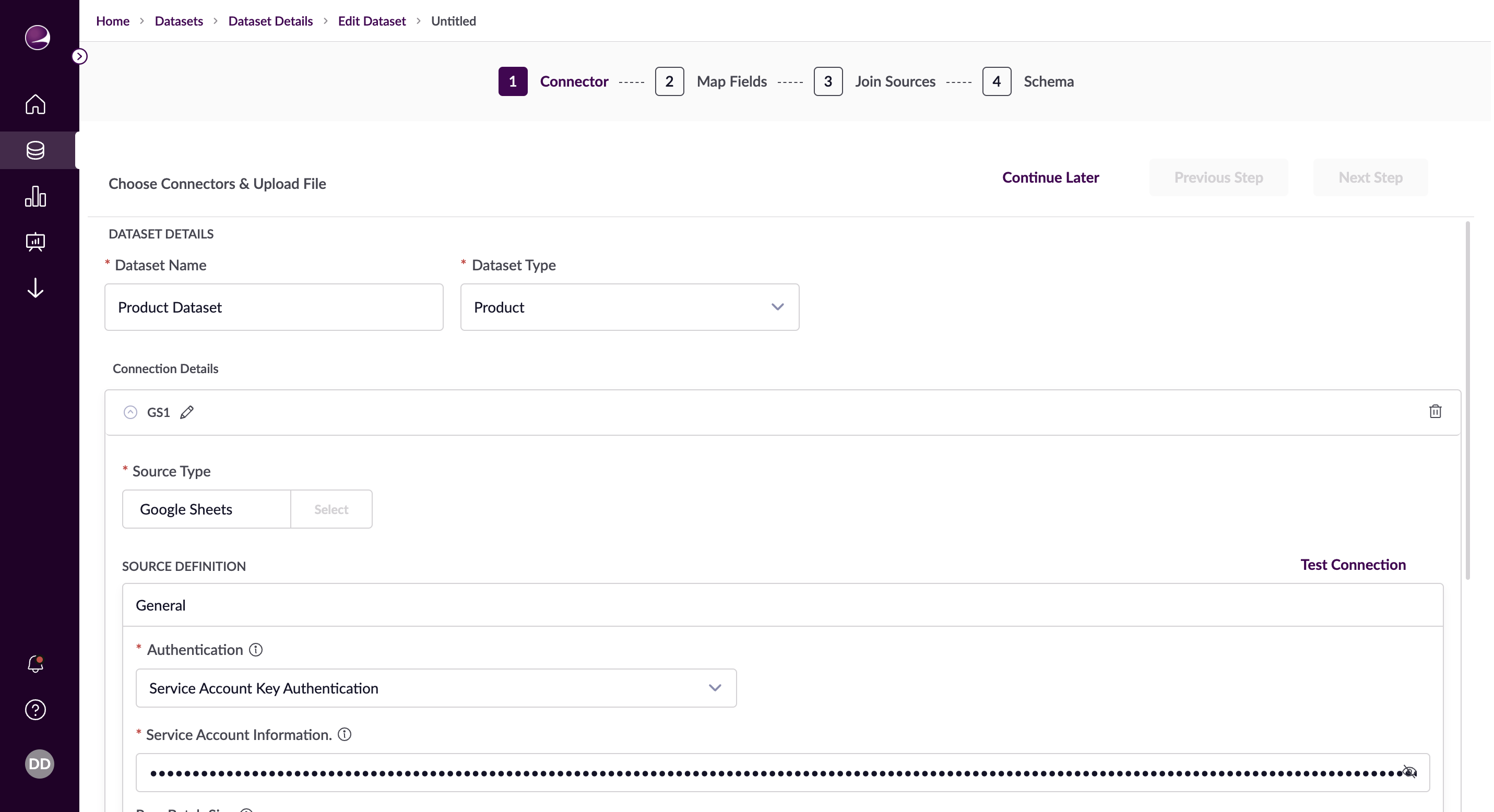
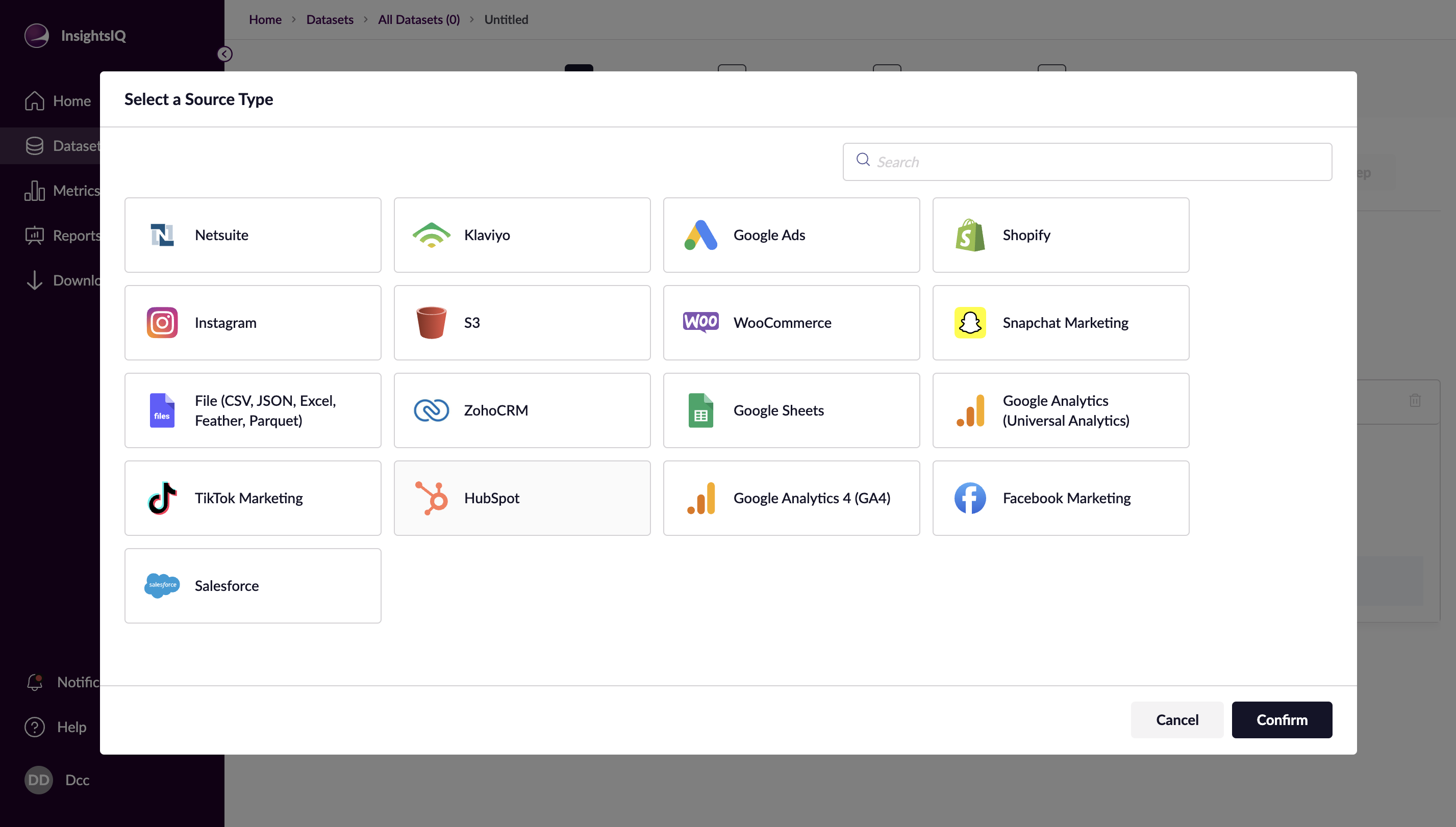
Connection Details
- Select source type
- Configure source definition
- Test connection
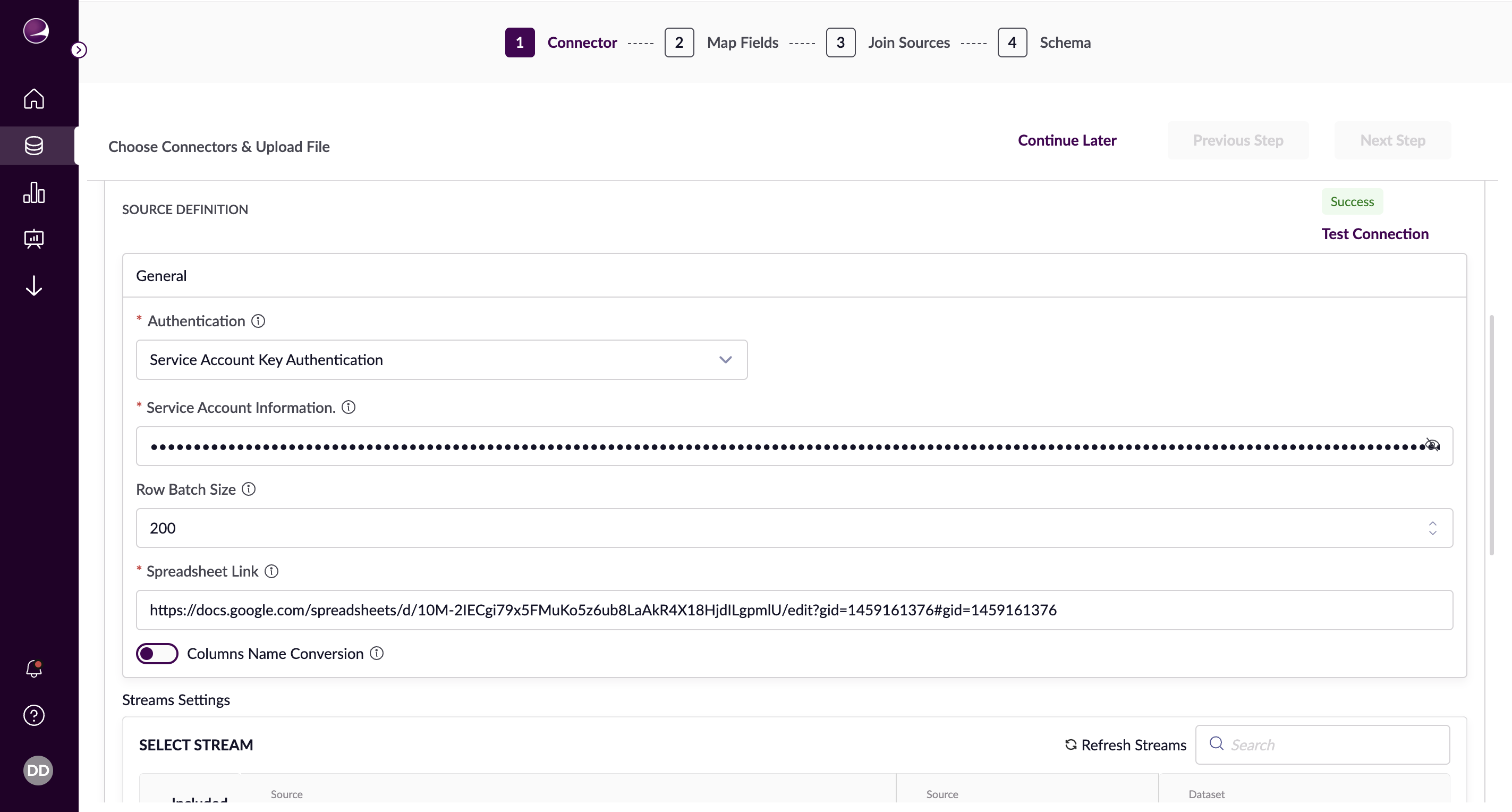
Stream Configuration
- Choose specific stream
- Select sync mode:
- Full Refresh: Overwrites existing records
- Incremental: Updates and adds records
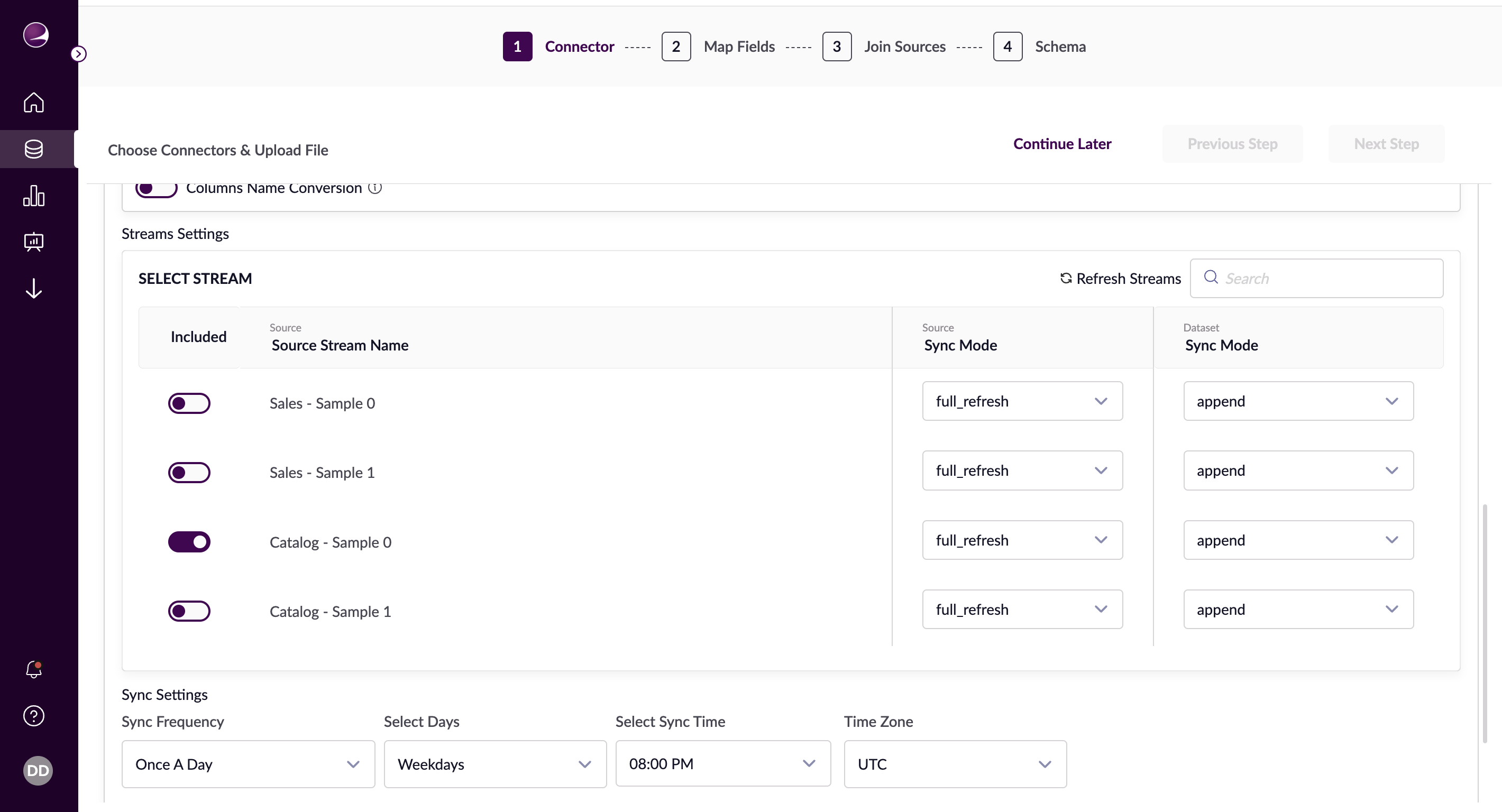
Sync Settings
Configure automatic data fetch intervals:
- Minutes: Specify minute interval
- Hours: Set hour interval and time
- Daily: Set day and time
- Weekly: Choose days and time
- Monthly: Set date and time
- Yearly: Select months, date, and time
Step 2: Field Mapping
Configure how source fields map to dataset attributes.
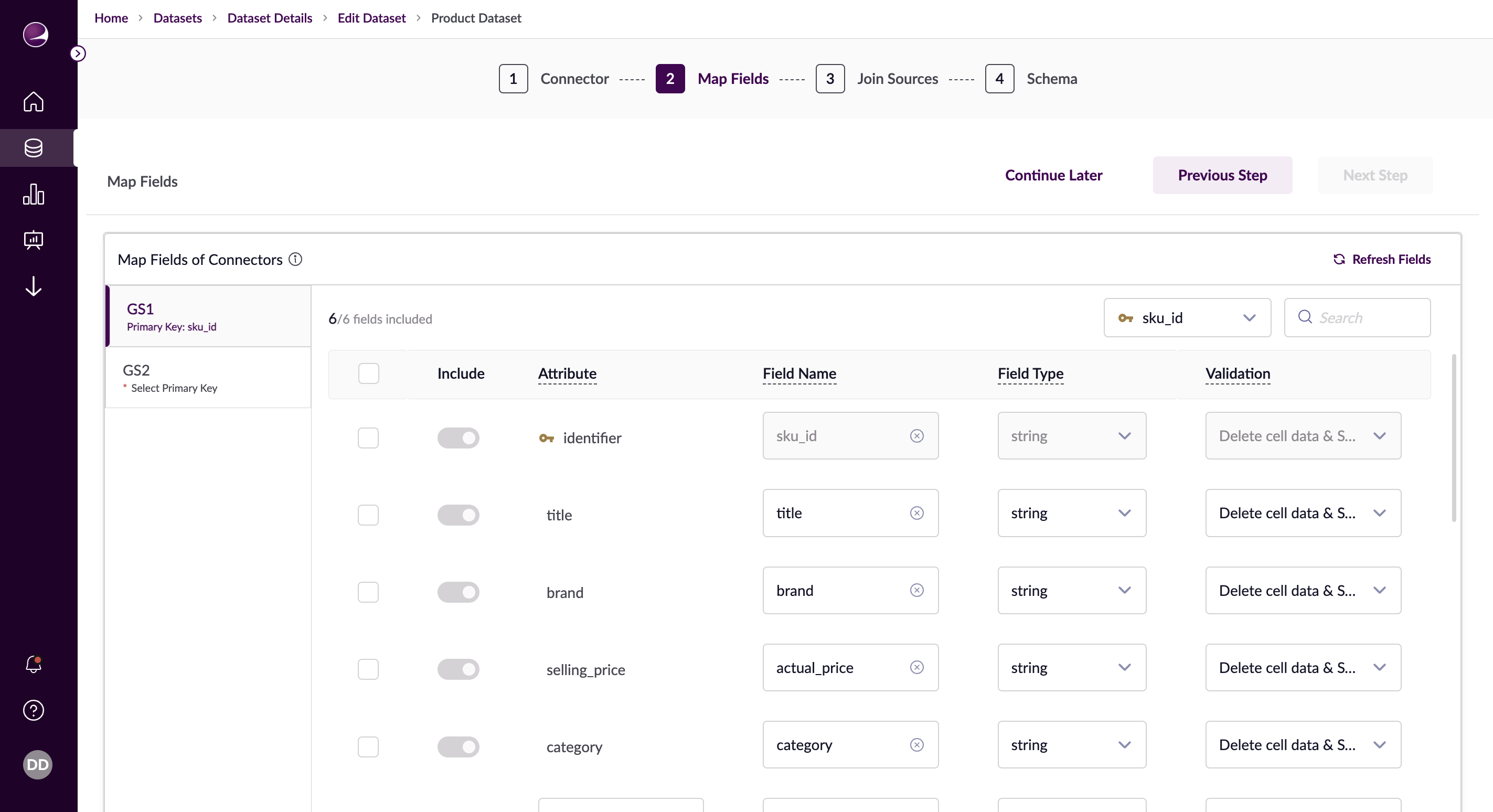
Primary Key Selection
- Choose unique identifier field
- Ensure field contains only unique values
Attribute Mapping
- Map source fields to attributes
- Configure field types
- Set data validations
Step 3: Join Sources
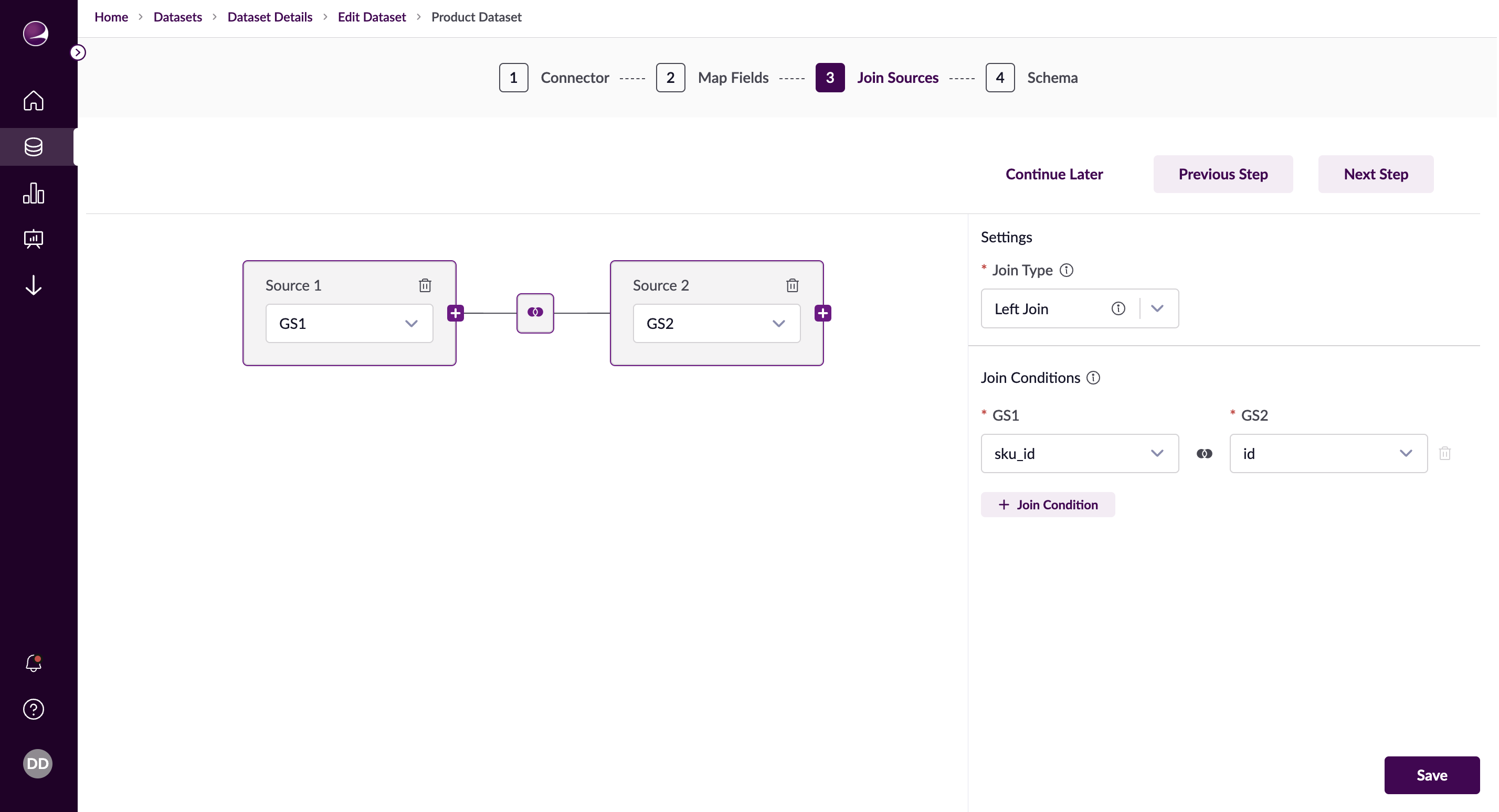
Configure relationships between multiple data sources.
Join Types
- Inner Join: Matching values only
- Left Join: All left + matching right
- Right Join: All right + matching left
- Full Outer Join: All records with nulls
- Cross Join: Cartesian product
Step 4: Schema Definition
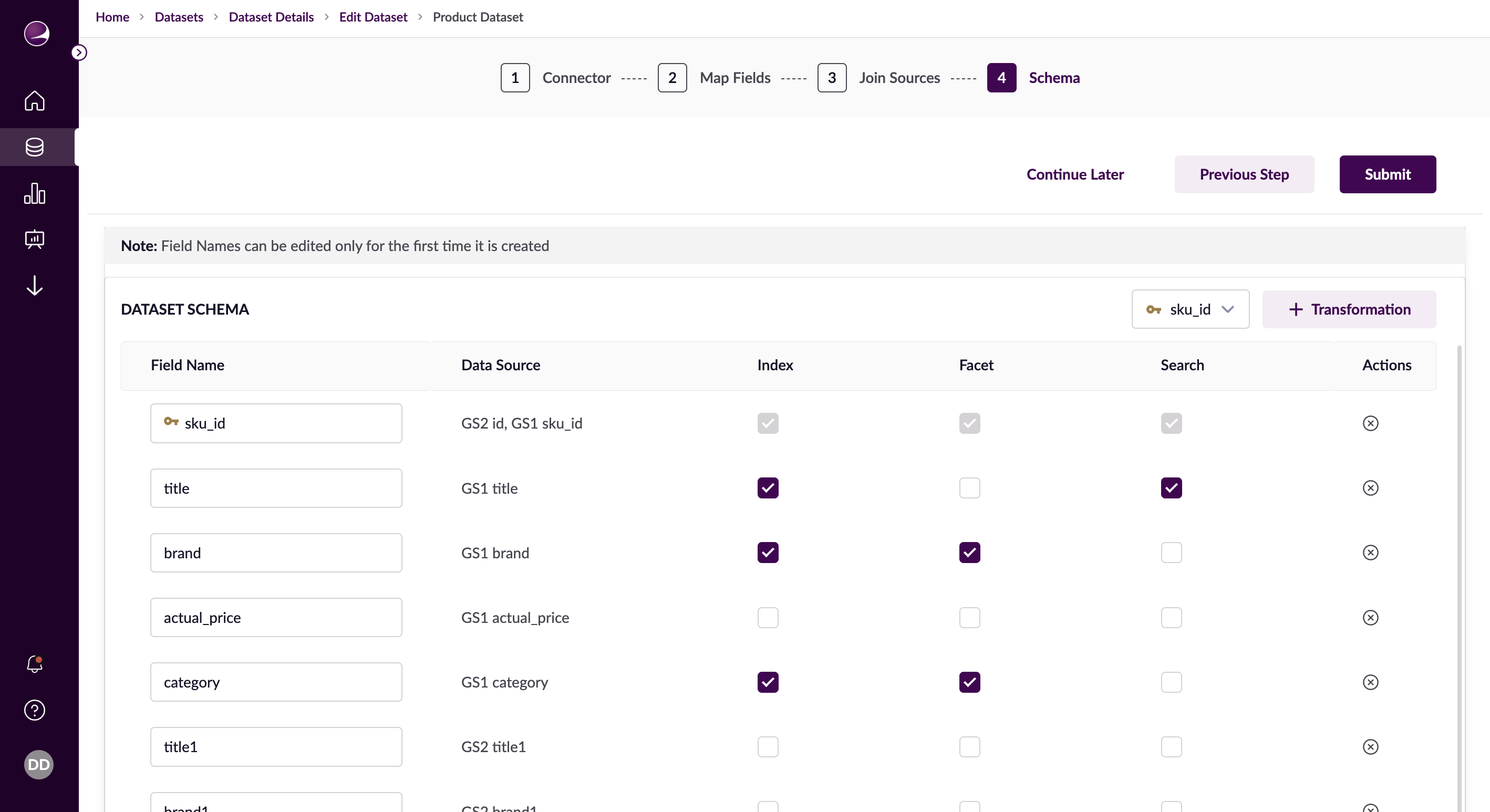
Define the final structure of your dataset.
Field Configuration
- Set primary key
- Configure indexes
- Enable faceting
- Set search options
Transformations
- Add field transformations
- Configure transformation rules
- Set application conditions