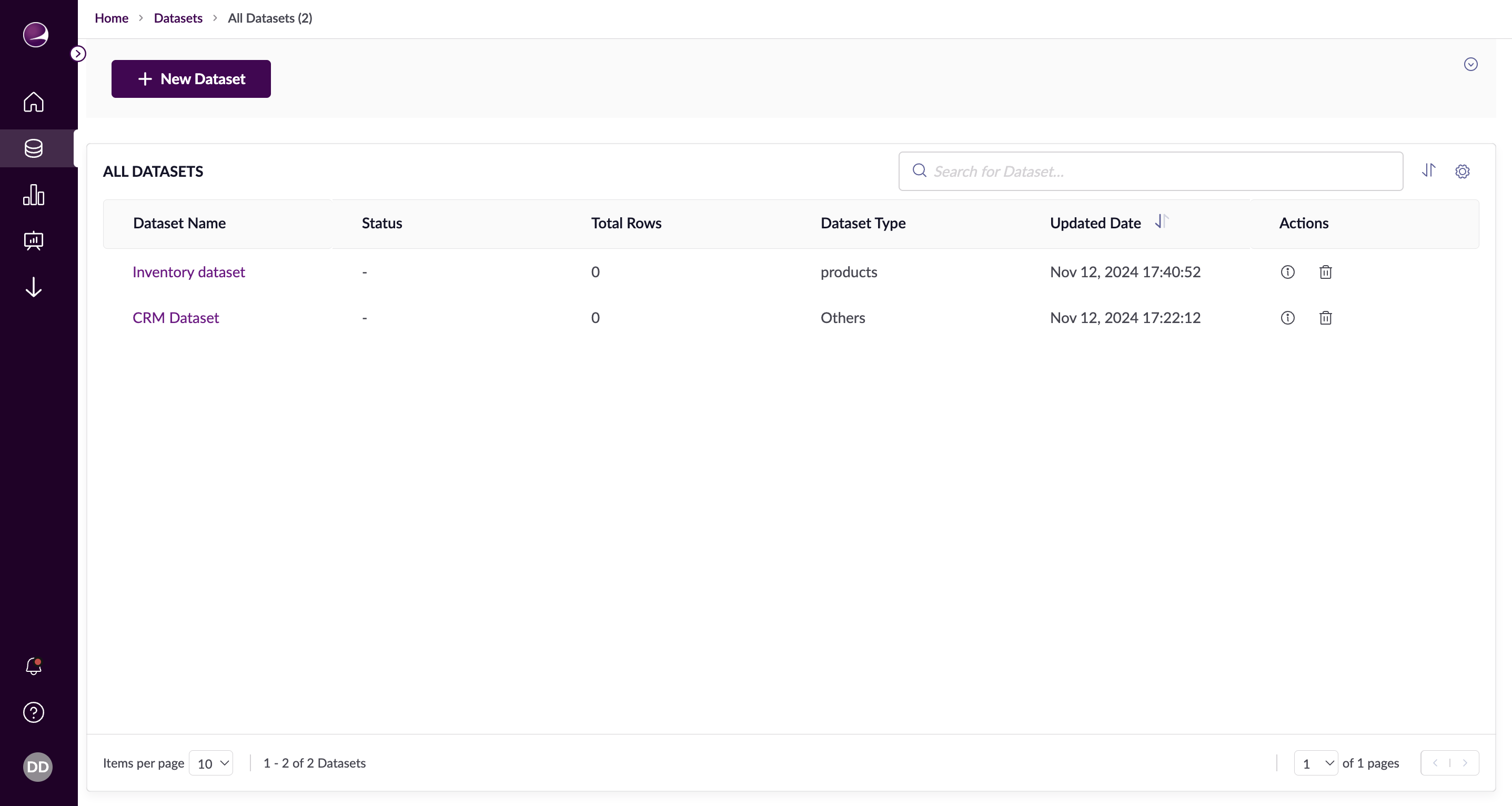
Navigation to Datasets Listing
From the InsightsIQ Application
- Click on the Datasets tab via the navigation bar.
- This will take you to the Datasets Listing screen, where you can view the datasets created.
The Datasets Listing screen in the InsightsIQ application.Search Datasets
- Use the search bar to look for datasets by name or select from your recently searched keywords.
- The search results will appear in a table for easy access.
Sorting Columns
- Hover over a column header to sort the data in that column, either in ascending or descending order.
Filtering Columns
- Hover over a column header to filter the data using the available filter options.
Managing Datasets
- Delete: Allows you to delete any existing dataset from your account.
- Edit: Enables you to modify the configuration of an existing dataset.
Creating Datasets
- Use the "+ New Dataset" button to create and configure a new dataset from scratch, making it ready for onboarding and processing your data.